If your business wants to compete for the first position in Google, WordPress can be a strong platform for the work involved. It gives you control over publishing, page structure, URLs, integrations and technical fixes. That control is useful when your website needs to grow with your services and your customers’ questions.
But the platform is not a ranking shortcut. A well-run WordPress website can compete; a neglected one can be slow, confusing and full of duplicated pages. This guide explains where WordPress helps, where it creates responsibilities, and how a business can turn the platform into a practical SEO process.
First, define what “number one” means for your business
First for which query, in which location, on which device, and in which type of result? A business can be visible for a brand name but absent for the service customers need. It can attract thousands of informational visits without receiving qualified enquiries. Those are different situations.
Start with a business outcome: enquiries for a particular service, bookings in a genuine service area, or purchases from a relevant product category. Then identify the questions people ask before taking that action. The useful SEO target is the connection between that need and a page capable of satisfying it.
Google’s SEO Starter Guide makes clear that there is no technique that automatically puts a site first. My recommendation is to judge WordPress by how well it lets your team do the necessary work consistently, not by whether an agency promises a position.
Why WordPress can be a strong choice for business SEO
You can improve content without rebuilding the website
Service information changes. Customers ask new questions, processes evolve and old screenshots become inaccurate. WordPress gives an editorial team a familiar place to publish and revise pages without requiring a code deployment for every sentence.
The business advantage is a shorter path from learning something useful to publishing it. For example, a consultancy can turn recurring sales-call questions into a service FAQ, a detailed comparison and an implementation guide. Give each page a distinct purpose instead of publishing several near-identical keyword variations.
You can control the technical output
With the right theme and configuration, your developer can control document titles, descriptions, canonical URLs, redirects, crawlable navigation, structured data and performance. When a technical problem appears, you have several layers at which to investigate and fix it.
That does not mean every WordPress installation produces ideal output automatically. Themes and plugins can disagree, duplicate metadata or create unintended archives. Assign one owner to search metadata and verify the generated page rather than relying on a green indicator in an editor.
You can organize a growing body of expertise
Pages, posts, categories and internal links can form a useful library around your services. A visitor can move from a broad guide to a detailed answer and then to the relevant service page. Editors can maintain that structure as the website grows.
Categories should help people browse. A category with a clear topic and several useful articles is different from dozens of empty or overlapping labels. Choose a small vocabulary the team can use consistently, and revisit it when content expands.
You have flexibility over hosting and integrations
A WordPress business site can connect publishing with forms, email tools, a CRM, analytics or commerce. It can also move between suitable hosts. That flexibility may be valuable when a company outgrows its initial setup or needs a workflow tailored to its operations.
Flexibility is not free maintenance. Somebody must own updates, backups, security, compatibility testing and service renewals. Count that work when comparing platforms. A simpler managed service may be a better decision if the business has no appetite or support for those responsibilities.
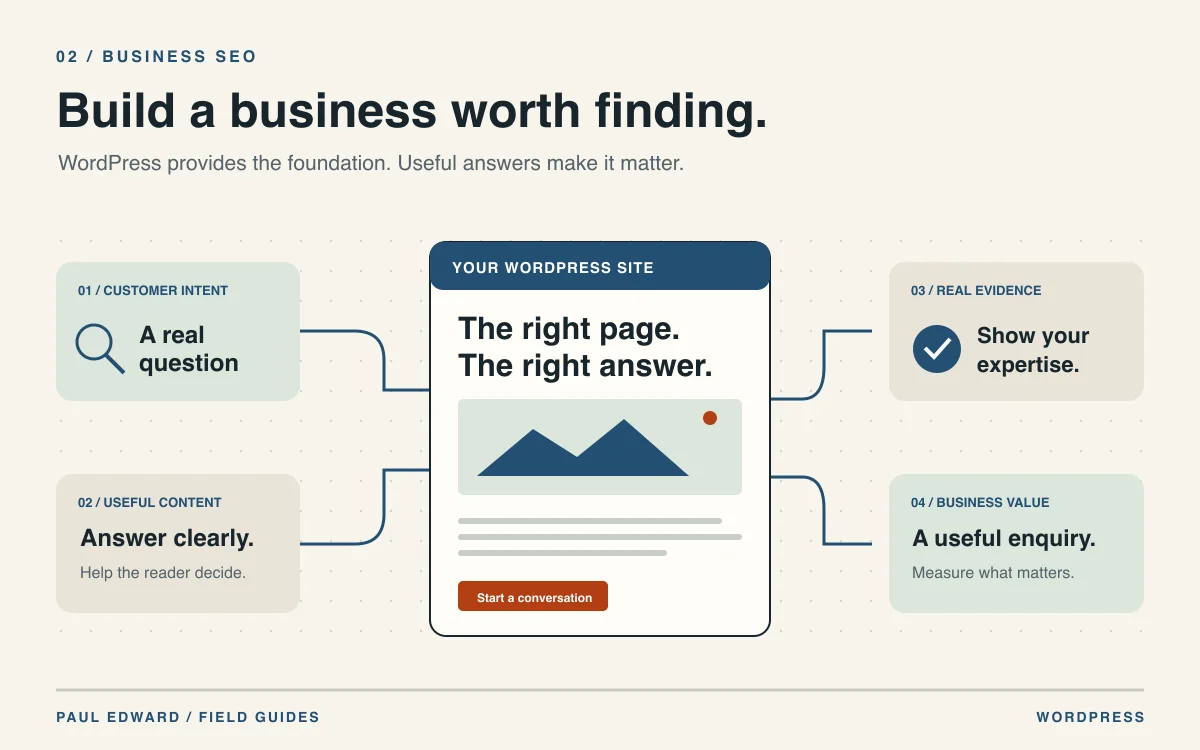
See the path from a customer question to a useful enquiry
WordPress helps you publish the pages in this journey. This is a reader journey, not a ranking formula.
Identify the service, situation or comparison the customer is trying to understand. One clear intent is more useful than a list of repeated keywords.
Provide a focused service page or guide, readable content, clear headings and an accessible URL. The answer should match the question.
Show real scope, useful examples, sources and appropriate author information. Use client results only when you can substantiate and publish them.
Link the guide to the appropriate service, explain the process and make the enquiry action easy to find. Avoid unrelated sales interruptions.
Look at the quality of enquiries as well as search traffic. Learn which questions need clearer answers and update the site accordingly.
A CMS enables the workflow. Search visibility still depends on relevance, execution, competition and search-system decisions.
The example in the diagram is a visitor journey, not Google’s ranking formula. Its purpose is to expose a practical weakness: a page can be easy for a crawler to find while still giving a customer no useful reason to contact the business.
Consider an illustrative commercial-maintenance company. “Commercial ventilation maintenance” belongs on a service page that explains the work, who it is for and how to arrange an assessment. “How often should a ventilation system be inspected?” may belong in an educational guide, with scope and limitations clearly explained. The guide can link to the service when the next step is relevant.
Do not create a separate city page for every place name if the business does not genuinely serve those places or cannot provide distinct useful information. Replacing the town name in the same paragraph is not the same as helping a local customer make a decision.
Build the foundations before increasing publishing volume
Use clear pages and stable URLs
Give important services their own understandable pages and link to them from navigation or relevant content. A URL should remain stable once it earns links and recognition. If you must change it, map the old address to an appropriate new page with a permanent redirect and update internal links.
Check that the public site uses the intended HTTPS domain and that canonical tags agree with internal links and the sitemap. A canonical is a preference signal, not a way to repair any unrelated duplication. Keep pagination and meaningful archives usable instead of treating every non-article URL as an SEO problem.
Make the intended pages accessible to crawlers
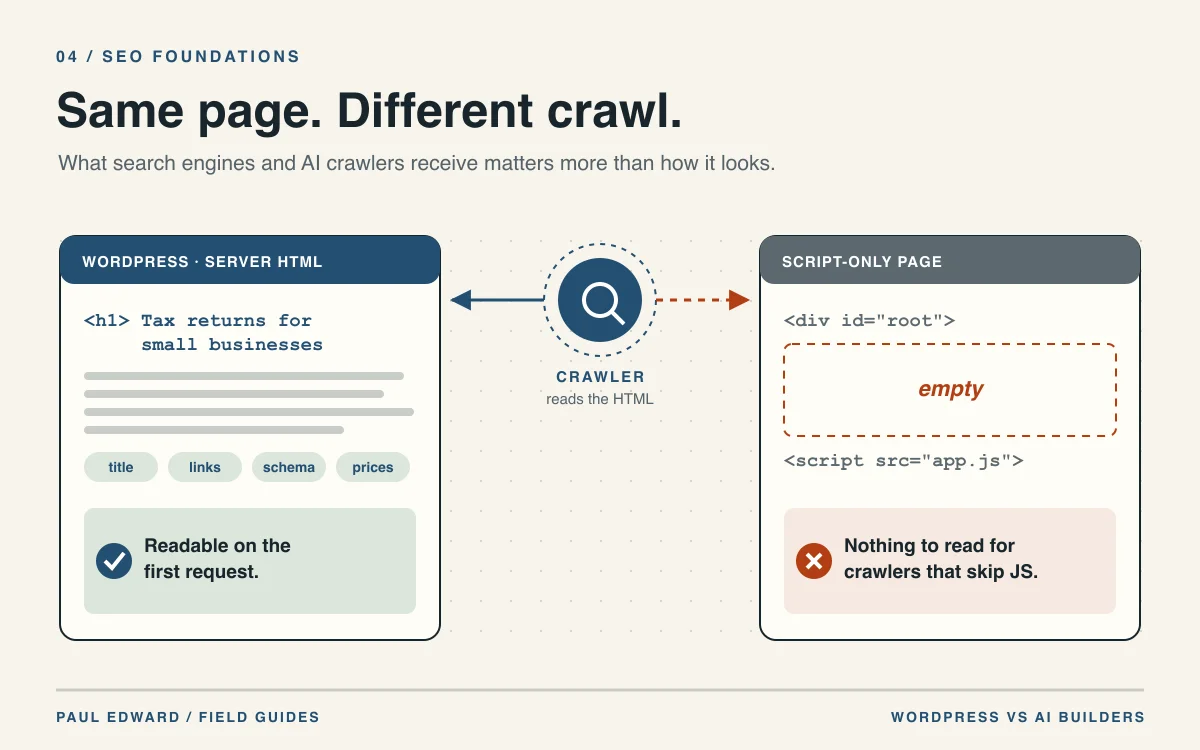
Search engines need access to the public page and its important resources. Accidental noindex directives, blocked assets, authentication walls and server errors can prevent otherwise useful content from being understood. Verify representative URLs after launch and after significant changes.
WordPress includes search-visibility settings, but a setting alone is not a complete launch audit. Check HTTP headers, the theme, the SEO plugin, robots.txt and any CDN or firewall. Keep staging or private material protected while allowing the public content you want discovered.
Use an XML sitemap as a discovery aid
Include the preferred URLs for public, indexable content. Avoid listing removed pages, redirects and private items. Submit the public sitemap after verifying ownership in the relevant webmaster tools, then inspect the reports. A submitted sitemap is a list of candidates, not a promise that every page will be indexed.
For a deeper implementation checklist, see the technical SEO guide for WordPress.
Write service pages that earn the next click
A business page should answer the questions a real buyer needs resolved. Lead with the service and the customer problem, then explain scope, process, practical constraints and next steps. Include genuine evidence where available: relevant work, qualifications, examples, or client-approved case studies.
Be specific about what a customer should send in an enquiry and what happens afterward. If cost depends on scope, explain the variables instead of publishing a meaningless “contact us for everything” paragraph. If certain situations are unsuitable, say so. Clear qualification can be more useful than attracting every possible visit.
Use headings to structure the answer. Put important explanations in readable HTML, not only in a video, animation or image. A clear diagram can support the explanation, but a customer should not need to watch it to find essential information.
Avoid invented success figures, testimonials or claims of experience. Google’s people-first content guidance is a useful editorial reference. In practical terms, demonstrate why this particular page deserves trust.
Connect supporting articles to the services they explain
Plan content around a few important business topics. For each service, identify the questions customers ask about suitability, implementation, maintenance, comparisons and common mistakes. Publish an article when it adds a distinct useful answer; update an existing page when it already covers that need.
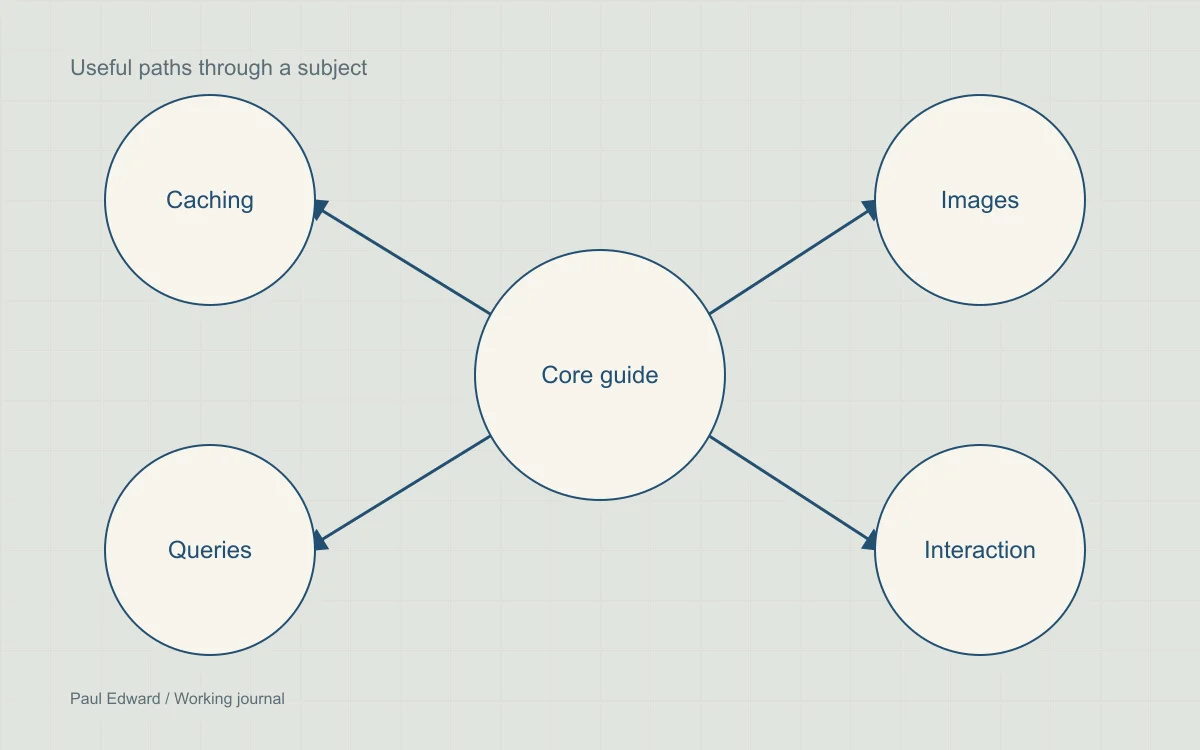
Link naturally between those pages. An article about slow WordPress sites can lead to a detailed image guide and an appropriate performance service. A service page can link back to the guide for readers who want to investigate before contacting you.
Keep the link text descriptive. “How to prepare images for a faster product page” tells the reader more than repeated “click here” links. Do not force the same commercial phrase into every paragraph, footer and image description.
Keep the website fast, usable and maintained
WordPress gives you control over performance, but it also allows unnecessary complexity. Heavy templates, oversized media, poorly scoped plugins and third-party scripts can undermine the experience. A site that is easy to edit still needs deliberate engineering.
Measure actual templates and interactions. Check the mobile menu, enquiry form, search and checkout where applicable. A page that looks polished but hides its essential control behind an overlay has a usability problem regardless of its score.
Follow the step-by-step WordPress speed guide for an implementation sequence. Treat security and maintenance as ongoing work too: a compromised site can damage customer trust and disrupt discovery.
Give SEO tools a clear role
An SEO plugin can make metadata, sitemap settings and other controls convenient for editors. It cannot decide what your customer needs, produce authentic project evidence, or make a weak service offer compelling. Choose tools according to a feature requirement and a maintenance plan.
Run one coordinated approach to titles, canonicals and structured data. If a plugin owns those outputs, the theme should not print competing versions. Validate the public HTML after setup. Preview text inside an admin screen is not proof of what a crawler receives.
Structured data should match visible information. Article markup can identify authorship and publication details; other page types may have their own supported formats. Never add fabricated reviews or ratings. Eligibility for a search presentation does not guarantee that it appears.
Use a repeatable publishing and measurement cycle
Move through the publishing cycle. Each pass should improve an answer, resolve a problem or fill a real information gap.
Use sales conversations, support issues and search reports to identify what readers need. Decide whether to create a page or improve an existing one.
Write the useful explanation, add genuine evidence and make the next step clear. Review facts and technical output before publication.
Inspect landing pages, queries and qualified enquiries over comparable periods. Record releases and avoid attributing every movement to one edit.
Update changed information, consolidate overlap and fix broken paths. Give important pages an owner and a review schedule.
Repeat when the evidence warrants it. Publishing more pages is not a substitute for maintaining useful ones.
Assign an owner to each important page. Record the question it answers, the supporting evidence, the related service and when its information should be reviewed. This turns the website into maintained business information instead of a growing pile of posts nobody revisits.
In Search Console, examine queries and landing pages, then compare relevant periods. Separate branded demand from discovery by new customers. Review country and device differences. An increase in impressions can be useful even before clicks increase, while a high-traffic article may still need a better next step.
Connect measurement to qualified enquiries or completed transactions where possible, with the appropriate privacy and consent setup. Agree how the team defines a useful lead. Keep a release log so changes in content, site structure and performance can be interpreted alongside the data.
When WordPress may not be the best choice
| Your requirement | Why WordPress may fit | What to consider |
|---|---|---|
| A growing service and article library | Flexible publishing and reusable page structures | Assign editorial and technical maintenance owners |
| A small site with infrequent changes | Familiar editing and room to grow | A simpler managed builder or static site may reduce maintenance |
| A complex product application | Useful as a publishing component | A dedicated application framework may fit core workflows better |
| Commerce with specific operational needs | Customizable WooCommerce ecosystem | Compare integrations, support, checkout reliability and ownership cost |
Do not migrate a working site solely because someone says Google prefers WordPress. A migration creates URL, content, analytics and operational risks. Identify a real limitation first, prototype the proposed solution, and plan preservation of existing URLs and useful content.
A practical 90-day business plan
- Days 1–30: establish the foundation. Audit important URLs, verify indexing and analytics, clarify services, fix broken navigation and choose the questions worth answering.
- Days 31–60: improve the core pages. Make service pages specific, add genuine evidence, publish distinct supporting guides and connect them with relevant links. Fix the highest-impact usability issues.
- Days 61–90: learn and refine. Review query and enquiry quality, correct weak or outdated explanations, consolidate overlap, and decide the next useful content or technical improvement.
This is a planning framework, not a prediction that rankings will arrive within 90 days. Competitive conditions, the site’s history, execution quality and search-system decisions all influence outcomes. Revisit the plan based on evidence rather than increasing output automatically.
Frequently asked questions
Does Google give WordPress websites a special ranking advantage?
There is no documented automatic ranking bonus for choosing WordPress. Its advantage is the control and publishing workflow it can give your team. Those capabilities only help when the site uses them well.
Can a business reach the first position with WordPress?
Yes, a WordPress page can rank first for a query. So can pages on other platforms. No CMS or developer can reserve that position across all customers, locations and searches.
Will WordPress help the business appear in AI answers?
It can publish clear, accessible material with citations and author information. Those are useful foundations, but WordPress itself does not secure an AI citation. Follow the search provider’s current eligibility and crawler guidance, and verify the applicable settings for the public domain. Google’s AI features guidance is the primary reference.
Do I need more than one SEO plugin?
Use one coordinated owner for titles, descriptions, canonical URLs and structured data. Multiple tools that output the same metadata can conflict. Some custom themes already provide those essentials, so identify a missing feature before adding another plugin.
What should I measure besides keyword positions?
Track relevant landing pages, queries, impressions, clicks and qualified enquiries or transactions over comparable periods. Separate branded searches from new-customer discovery. Record meaningful changes so you can interpret performance without assuming every movement came from one edit.
Sources and further reading
- Google: SEO Starter Guide
- Google: Helpful, reliable, people-first content
- Google: Core Web Vitals and Search
- Google: AI features and your website
- Headless vs traditional WordPress: how to choose
For a business that needs a maintainable foundation for this work, explore WordPress website development. Start with the services you want to grow, the questions customers ask and the people who will maintain the website.